
[featured-img]
Need to generate a certificate signing request (CSR) for a commercial SSL, like one purchased from GoDaddy, Namecheap, or another external SSL provider? Read below to generate the correct CSR on a system running Windows Server.
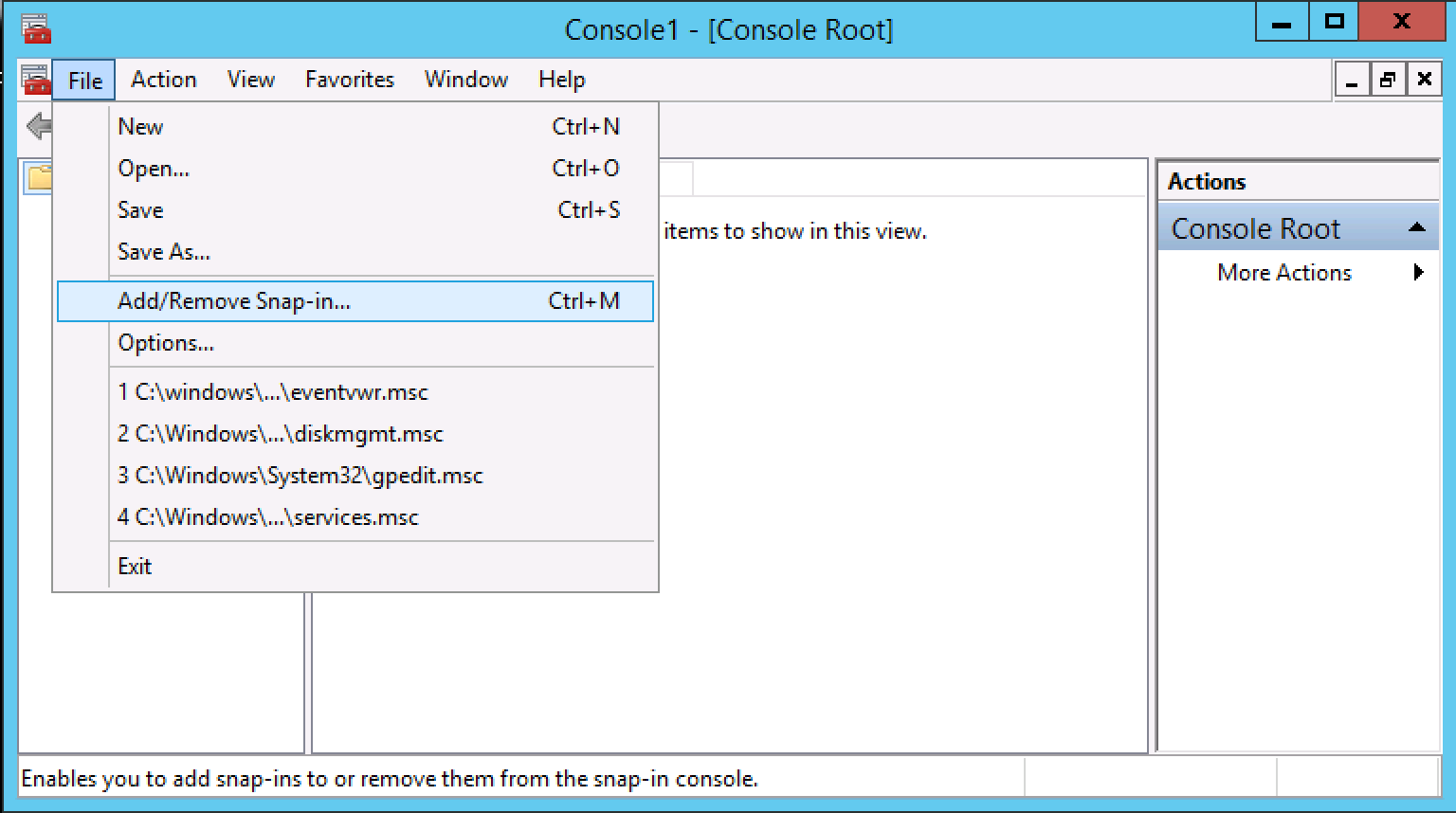
Navigate to Start > Run and run mmc.exe. In the console, go to File > Add/Remove Snap-in…
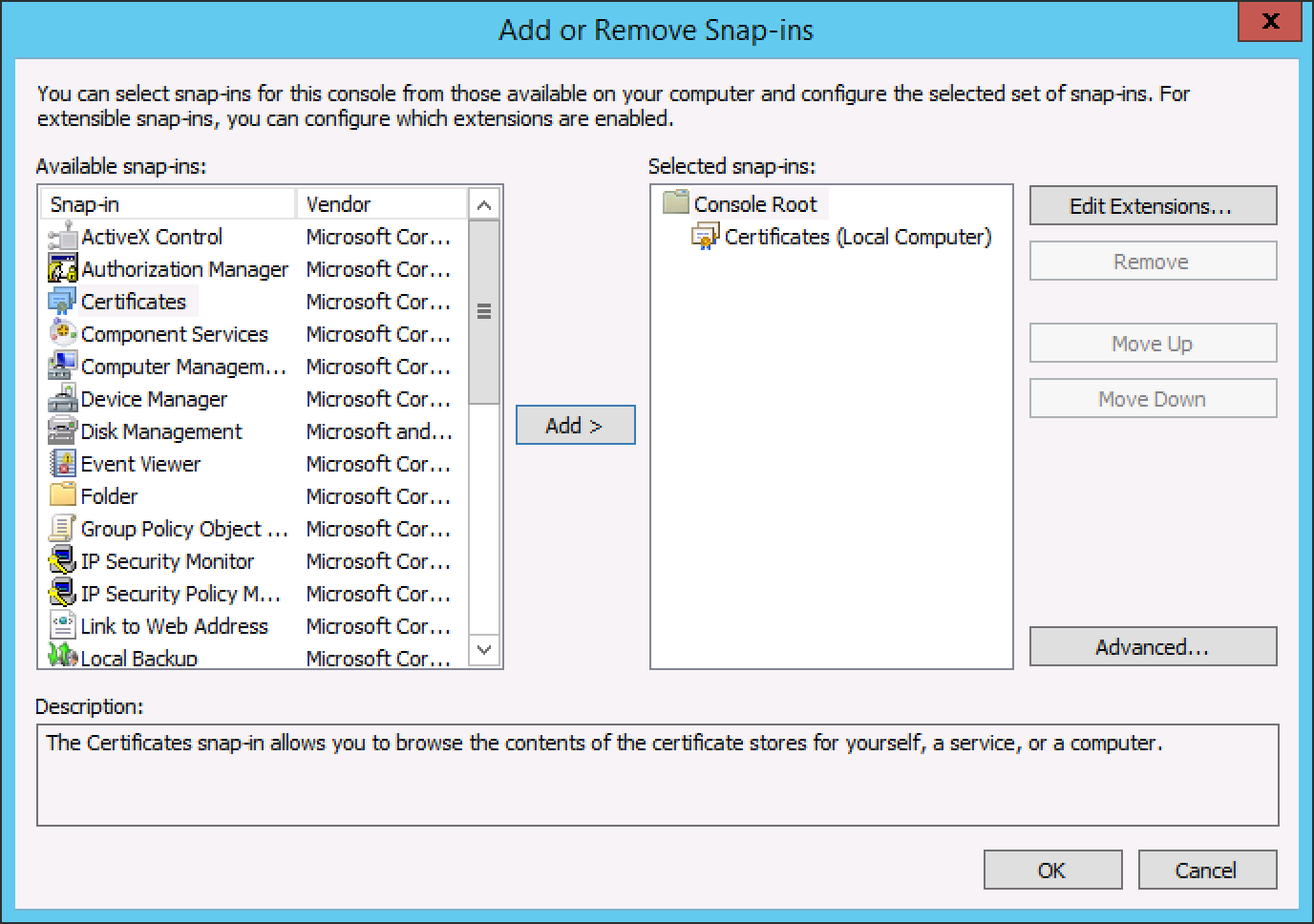
In the left pane, select Certificates and Add > to the right pane. Choose to always manage Computer account. Click OK.
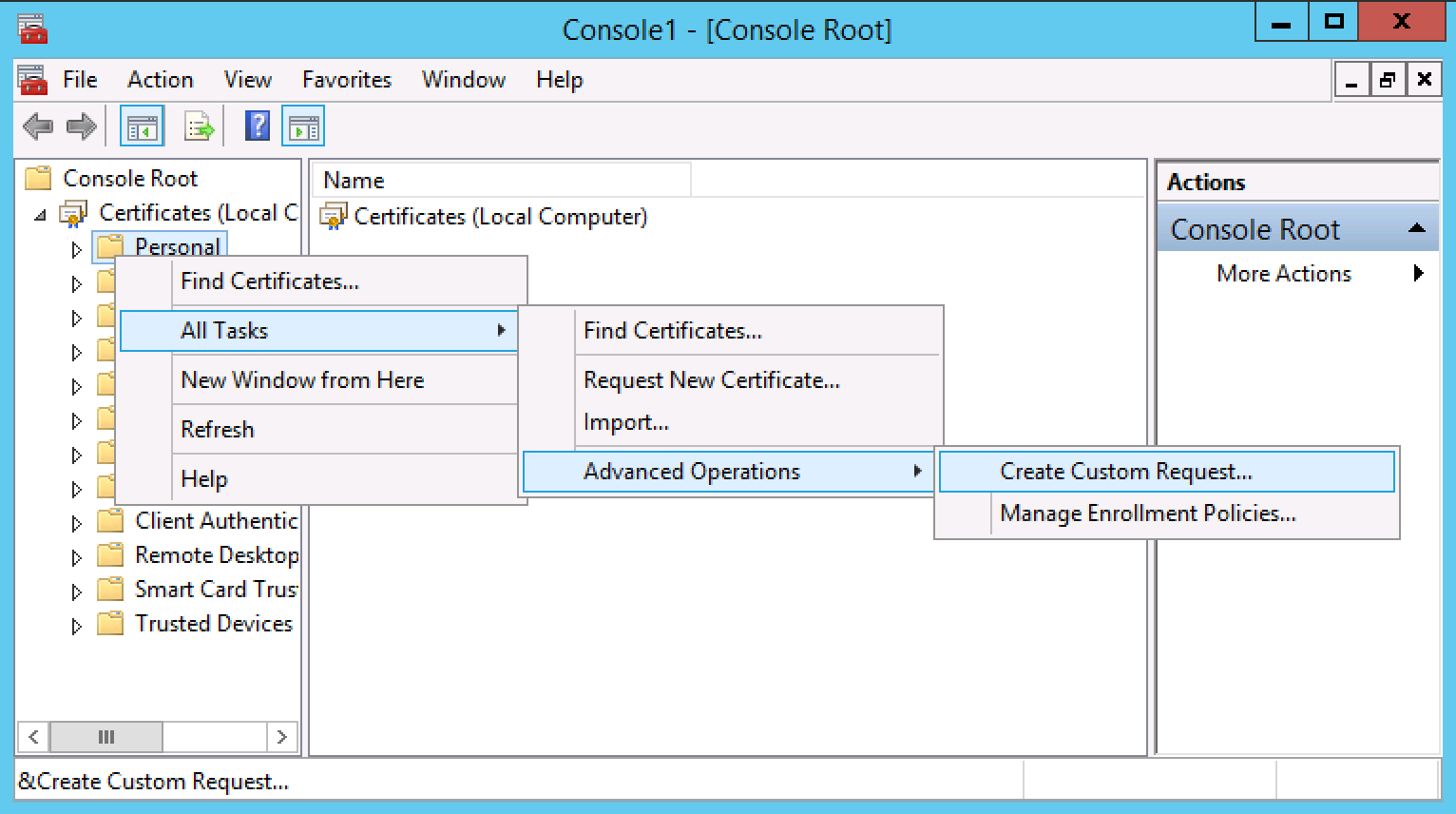
Expand the Certificates tree and Right click Personal > All Tasks > Advanced Options > Create Custom Request…
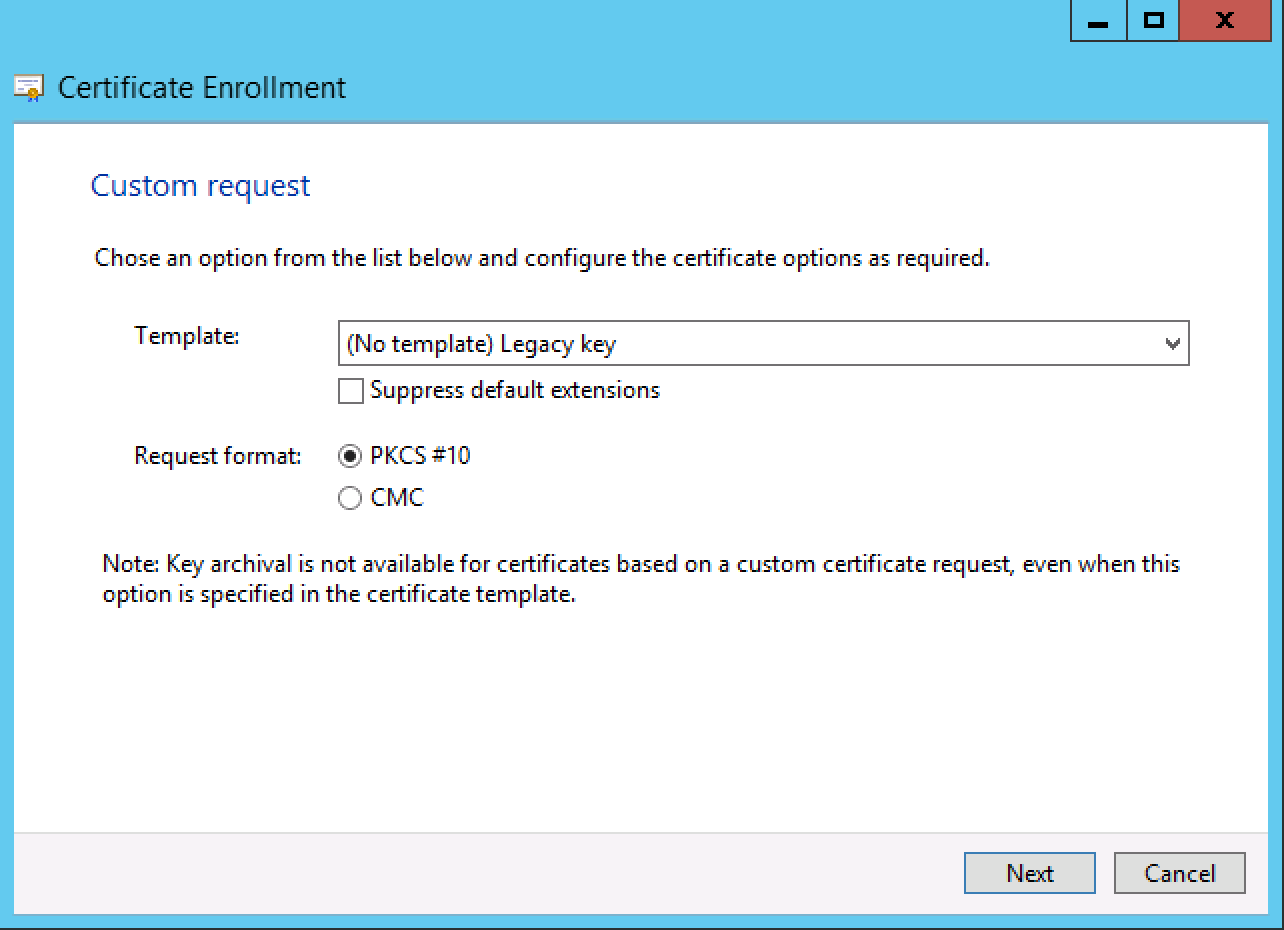
Follow the first few prompts, entering any information requested. Choose (No template) Legacy key when prompted and ensure the Request format is set to PKCS #10.
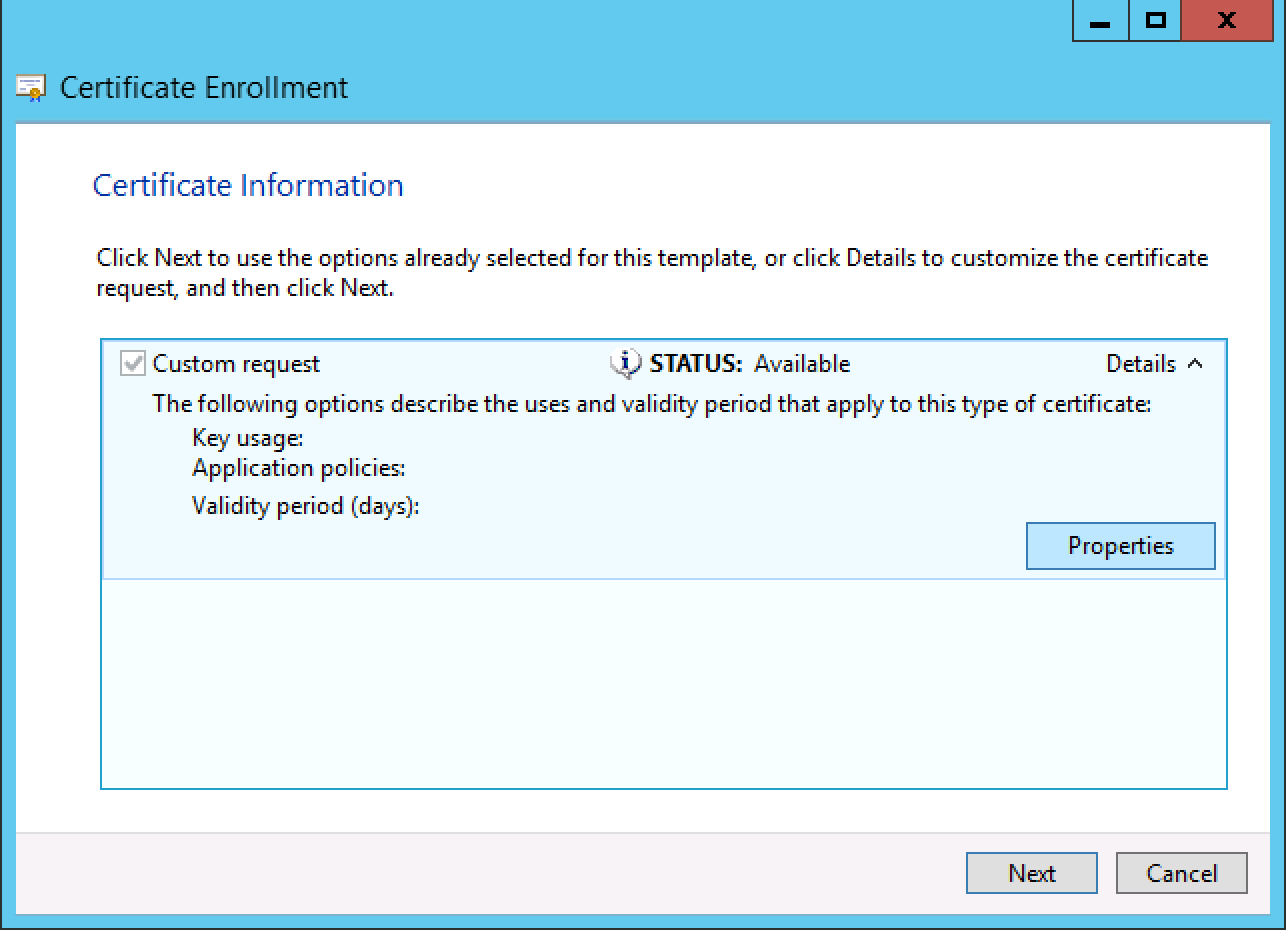
On the next pane, click Details and then Properties.
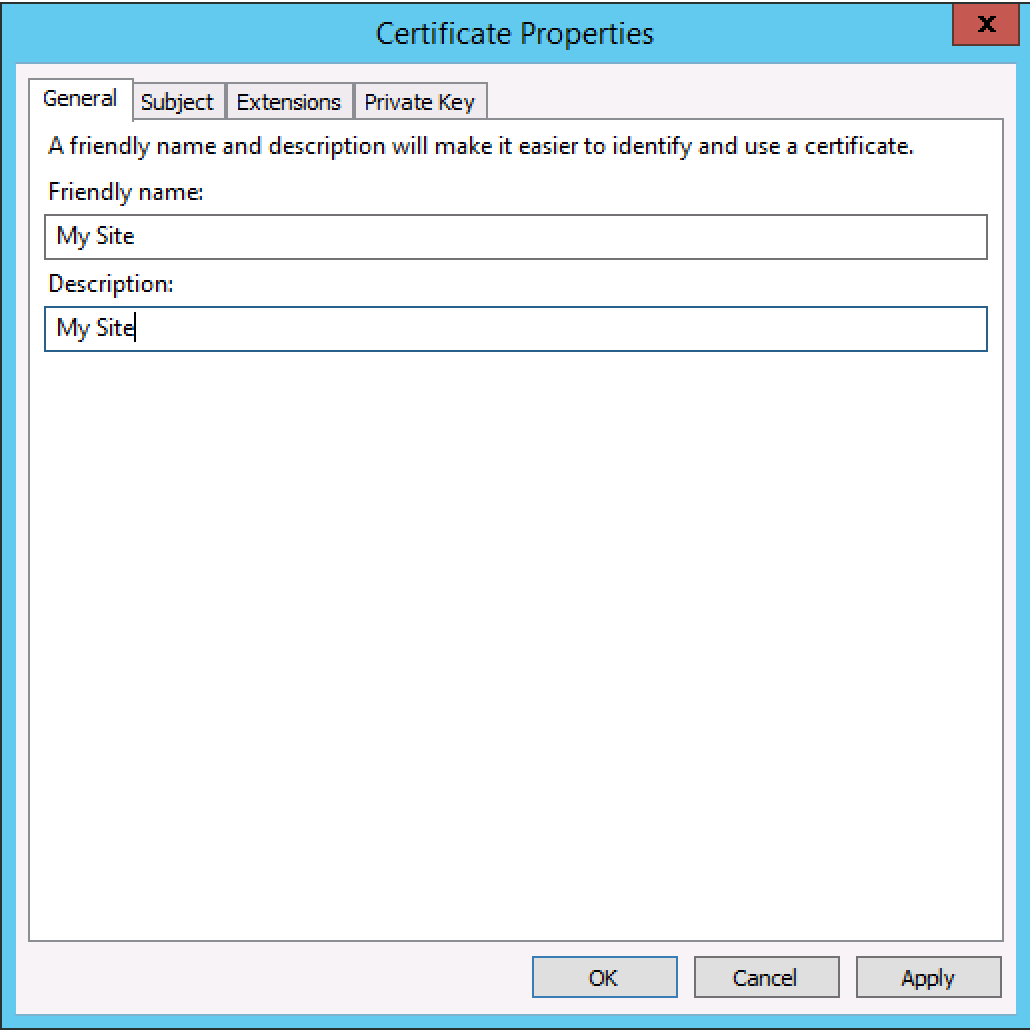
In the General tab, Enter a nickname and description for your certificate.
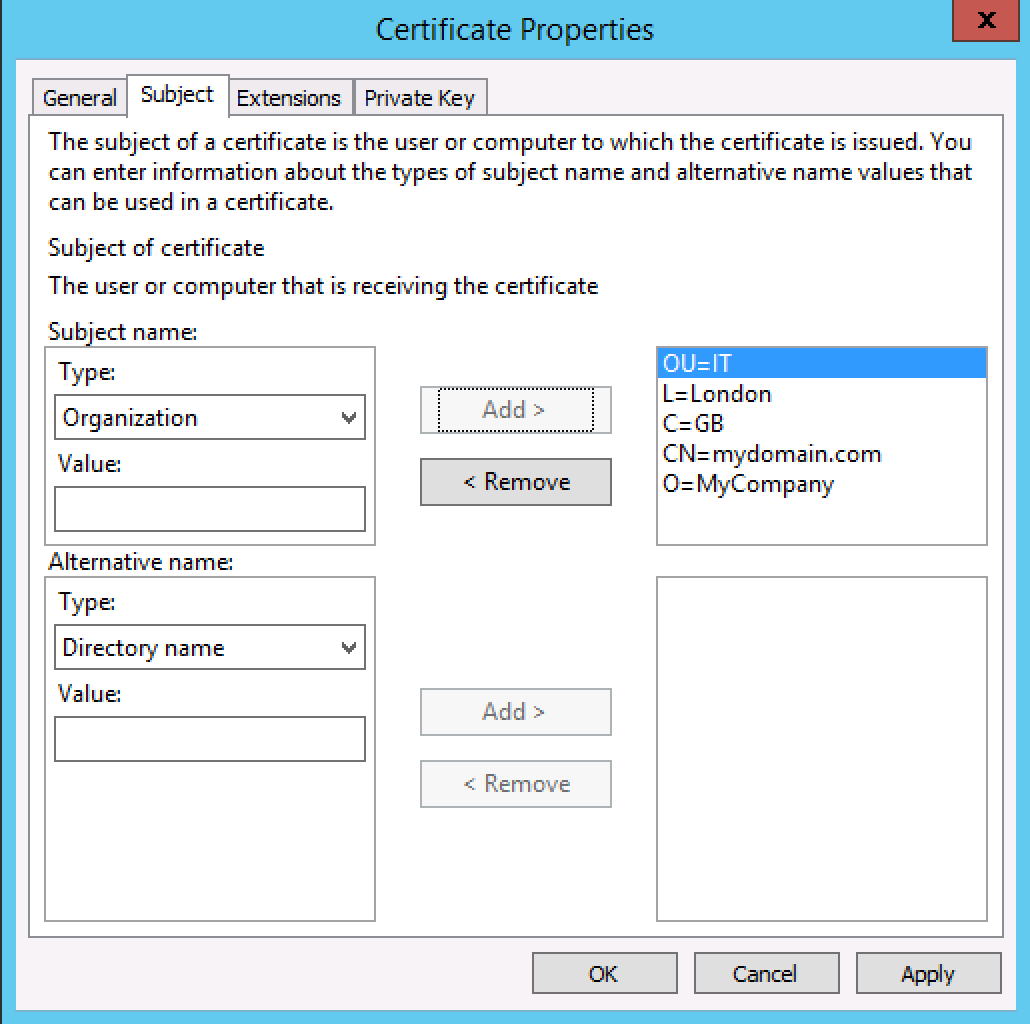
In the Subject tab, add the following properties with values filled in for the domain name you want to secure with SSL: Common Name, Organization, Organizational Unit, Locality, Country
Note: Locality must be a full name (e.g. “California”), and Country must be a 2-letter country code (e.g. “US”).
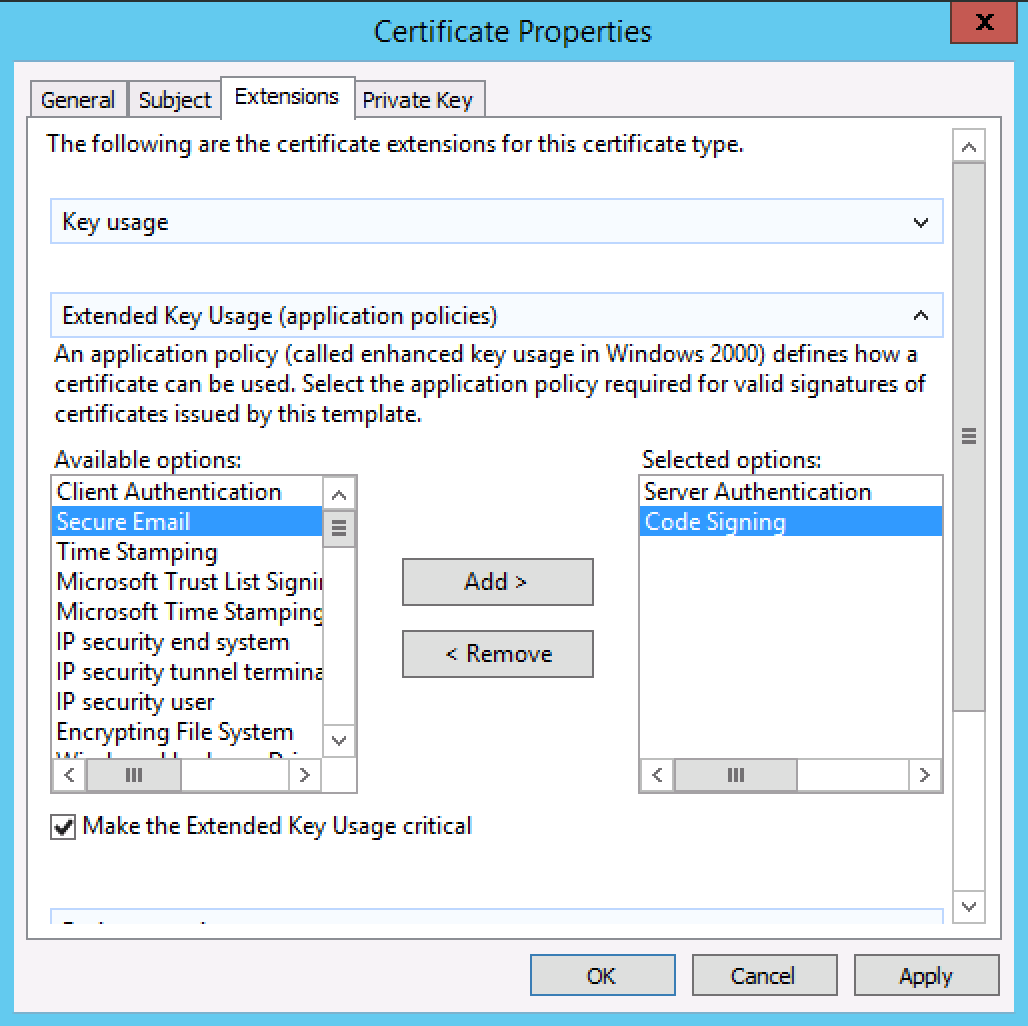
In the Extensions tab, add Server Authentication and Code Signing to the right-side pane.
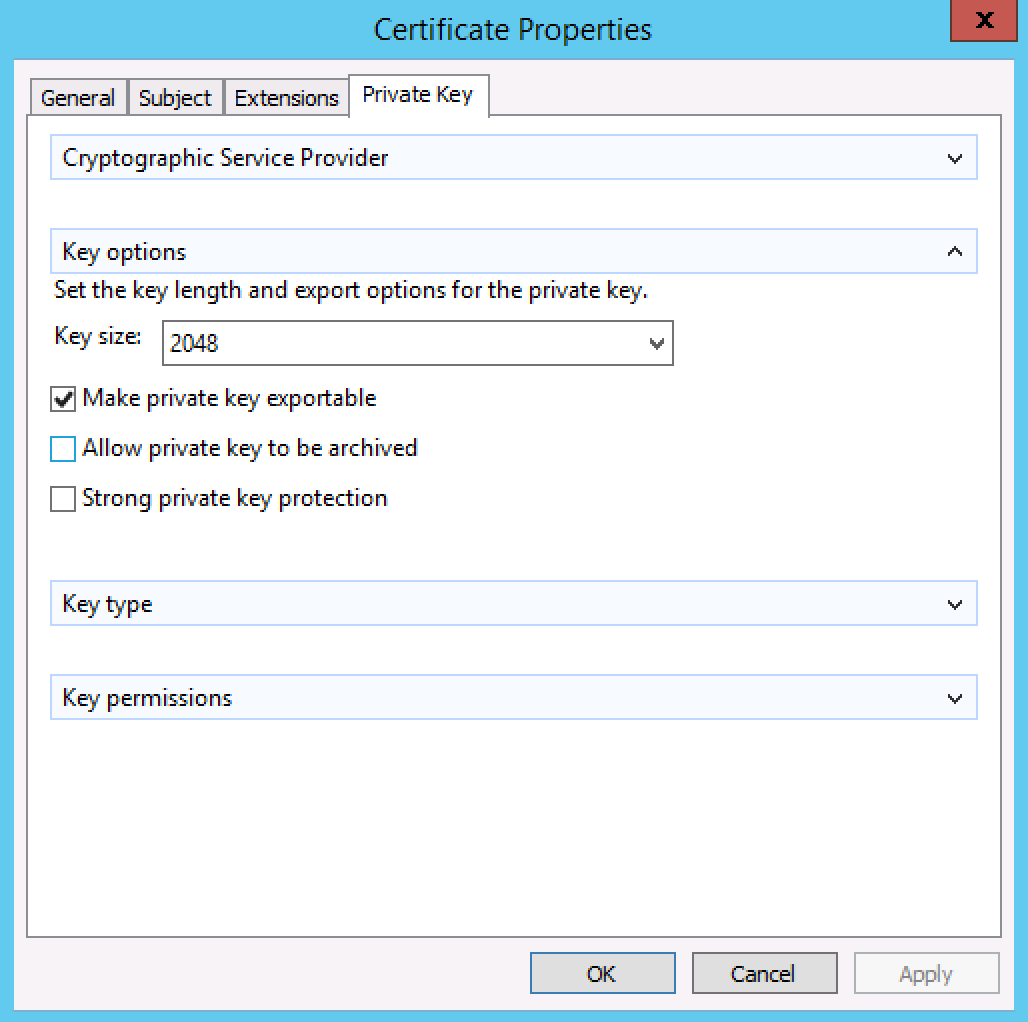
In the Private Key tab, expand the Key options section, choose Key size: 2048 and tick Make private key exportable.
Finally, choose a location to save your CSR. Click Finish to generate the request and save the file.
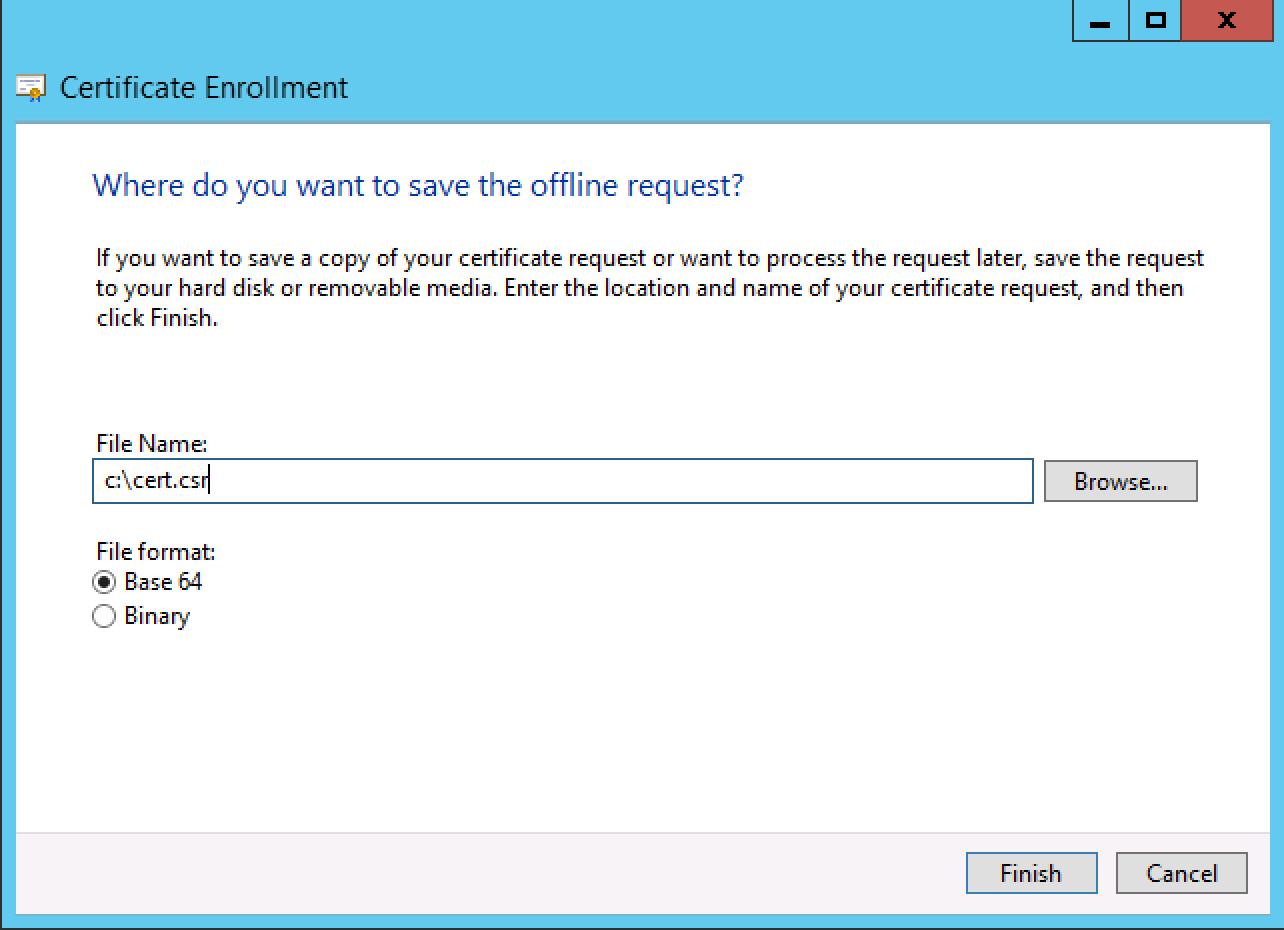
You can now copy the text in C:cert.csr to your SSL provider to begin the SSL signing process.
This guide applies to:
Lightning-fast VPS hosting with enterprise SSD storage, global data centers, and 99.99% uptime. Built for developers, trusted by enterprises.
support@solvps.com
1-888-256-8213
These cookies are essential for the website to function and cannot be switched off.
These cookies enable enhanced functionality and personalization, such as live chat or video.
These cookies help us understand how visitors interact with the website (for example Google Analytics).
These cookies are used to deliver and measure advertising (for example Meta Pixel, LinkedIn Insight, Google Ads).