
You may receive an error like the following when connecting to your Windows VPS or other Windows server with RDP: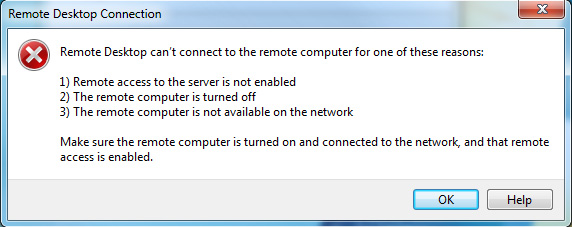
This error usually indicates that the Windows VPS is offline. If the VPS is newly deployed, wait 3-5 minutes and try again. If you had previously connected to the VPS, wait and try again, as the error may be related to a temporary network issue.
If you cannot connect after 3-5 minutes, try to ping your VPS. If the ping is returned as “unreachable” or “timed out”, please contact support! We will ensure that the VPS is online, and assist you with connecting to remote desktop.
If the ping is returned successfully, there is most likely a local security setting on your PC that is preventing the connection. Try the following solutions:
Lightning-fast VPS hosting with enterprise SSD storage, global data centers, and 99.99% uptime. Built for developers, trusted by enterprises.
support@solvps.com
1-888-256-8213
These cookies are essential for the website to function and cannot be switched off.
These cookies enable enhanced functionality and personalization, such as live chat or video.
These cookies help us understand how visitors interact with the website (for example Google Analytics).
These cookies are used to deliver and measure advertising (for example Meta Pixel, LinkedIn Insight, Google Ads).