
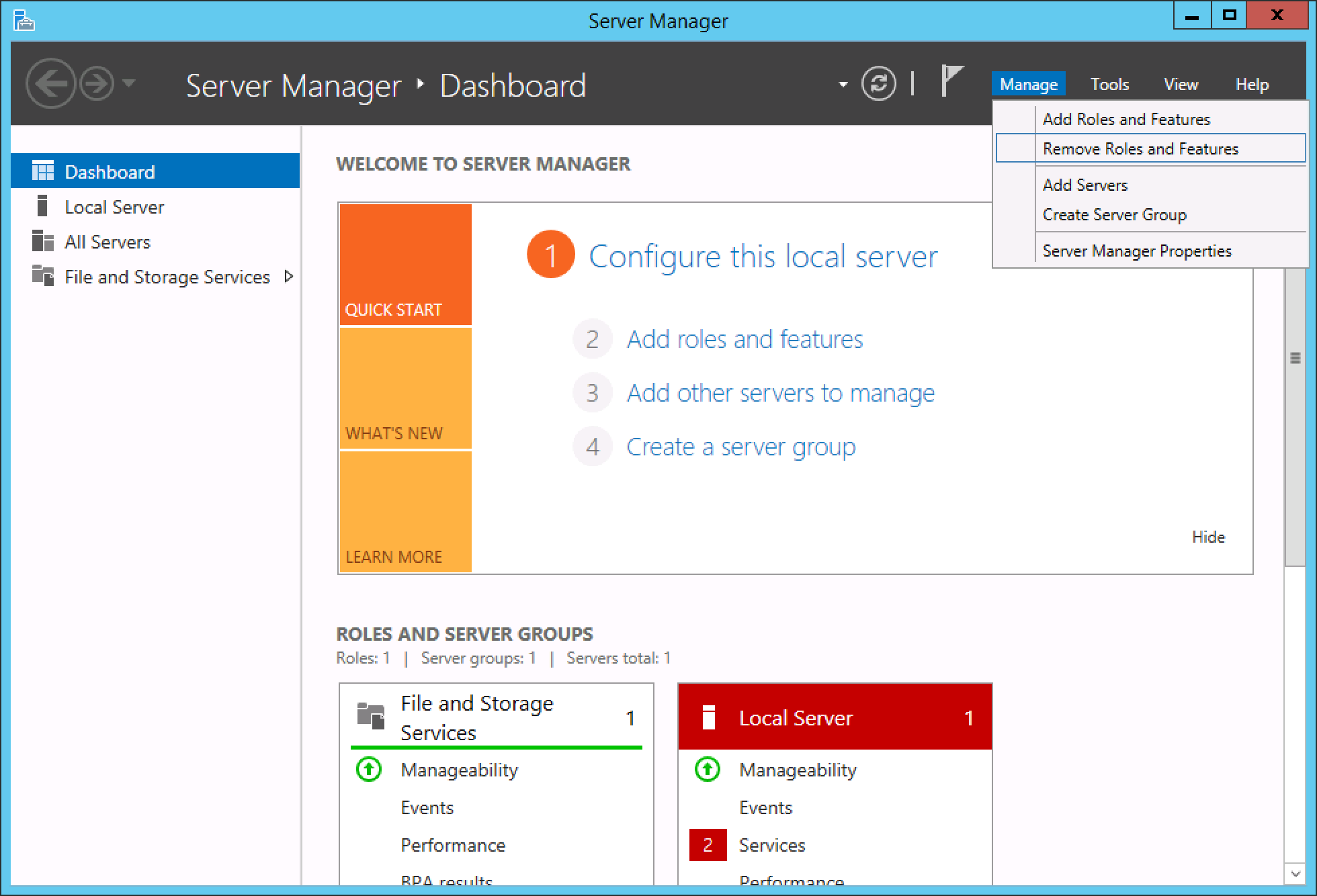
In Windows Server 2012 R2, the option to remove Roles and Features is a bit obscure, or at least not where you might look initially.
First, launch Server Manager from the Start menu.
Now, you can find Remove Roles and Features from the Manage menu along the top navigation options. From the Remove Roles and Features dialog, simply select the packages you would like to remove and proceed through the removal wizard.
This guide applies to:
Lightning-fast VPS hosting with enterprise SSD storage, global data centers, and 99.99% uptime. Built for developers, trusted by enterprises.
support@solvps.com
1-888-256-8213
These cookies are essential for the website to function and cannot be switched off.
These cookies enable enhanced functionality and personalization, such as live chat or video.
These cookies help us understand how visitors interact with the website (for example Google Analytics).
These cookies are used to deliver and measure advertising (for example Meta Pixel, LinkedIn Insight, Google Ads).